
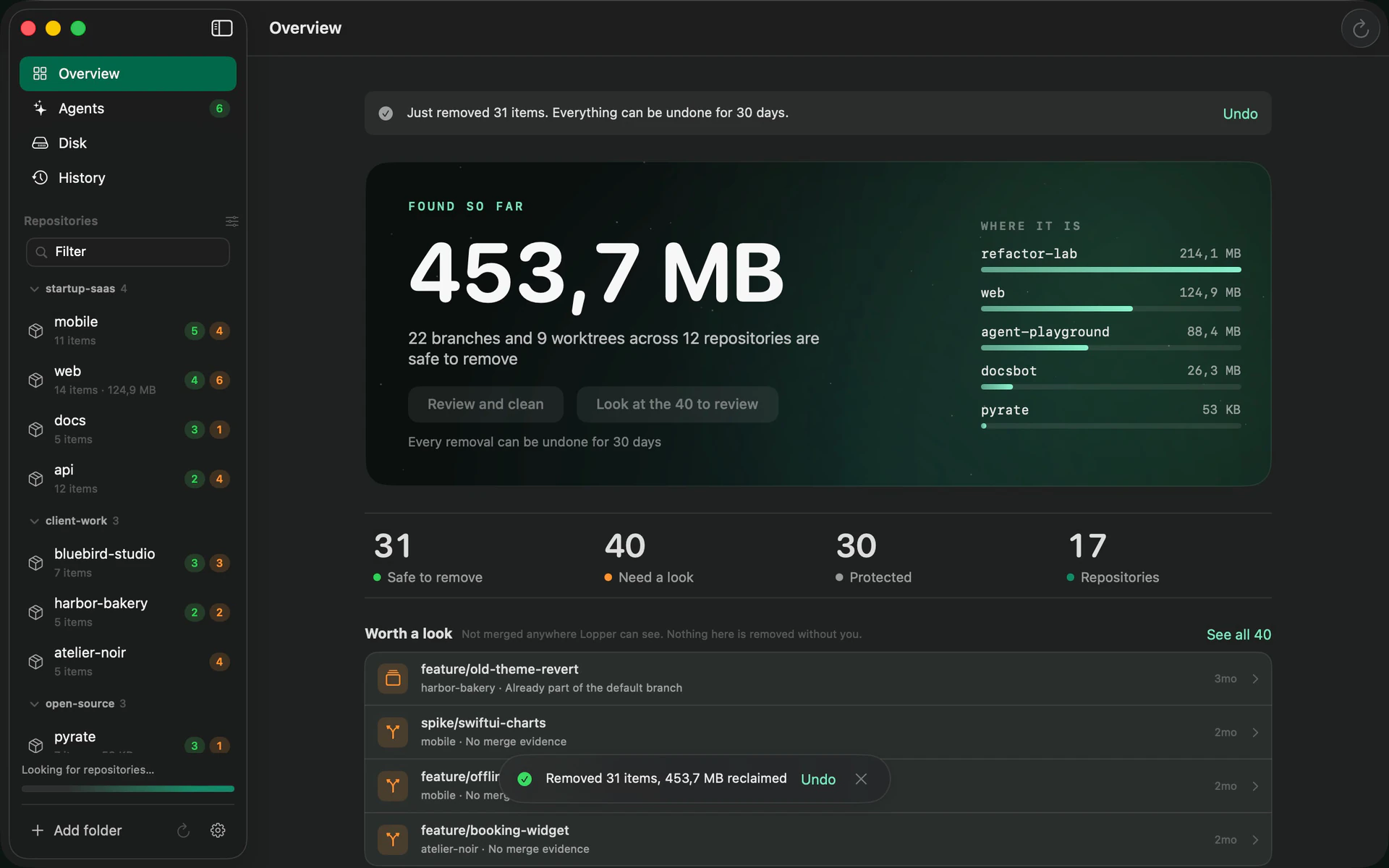
everythingyoucanletgoof,ononepage.
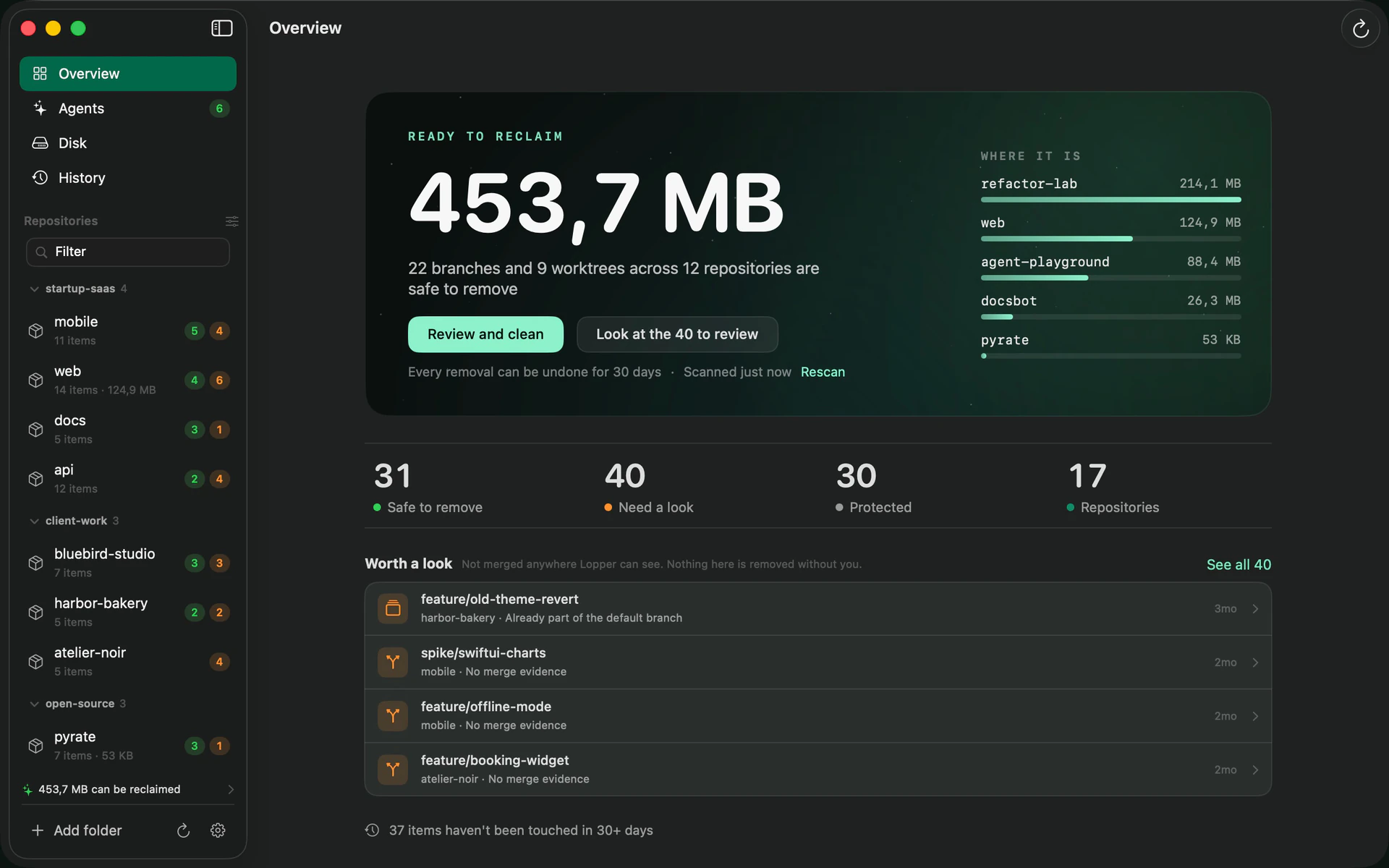
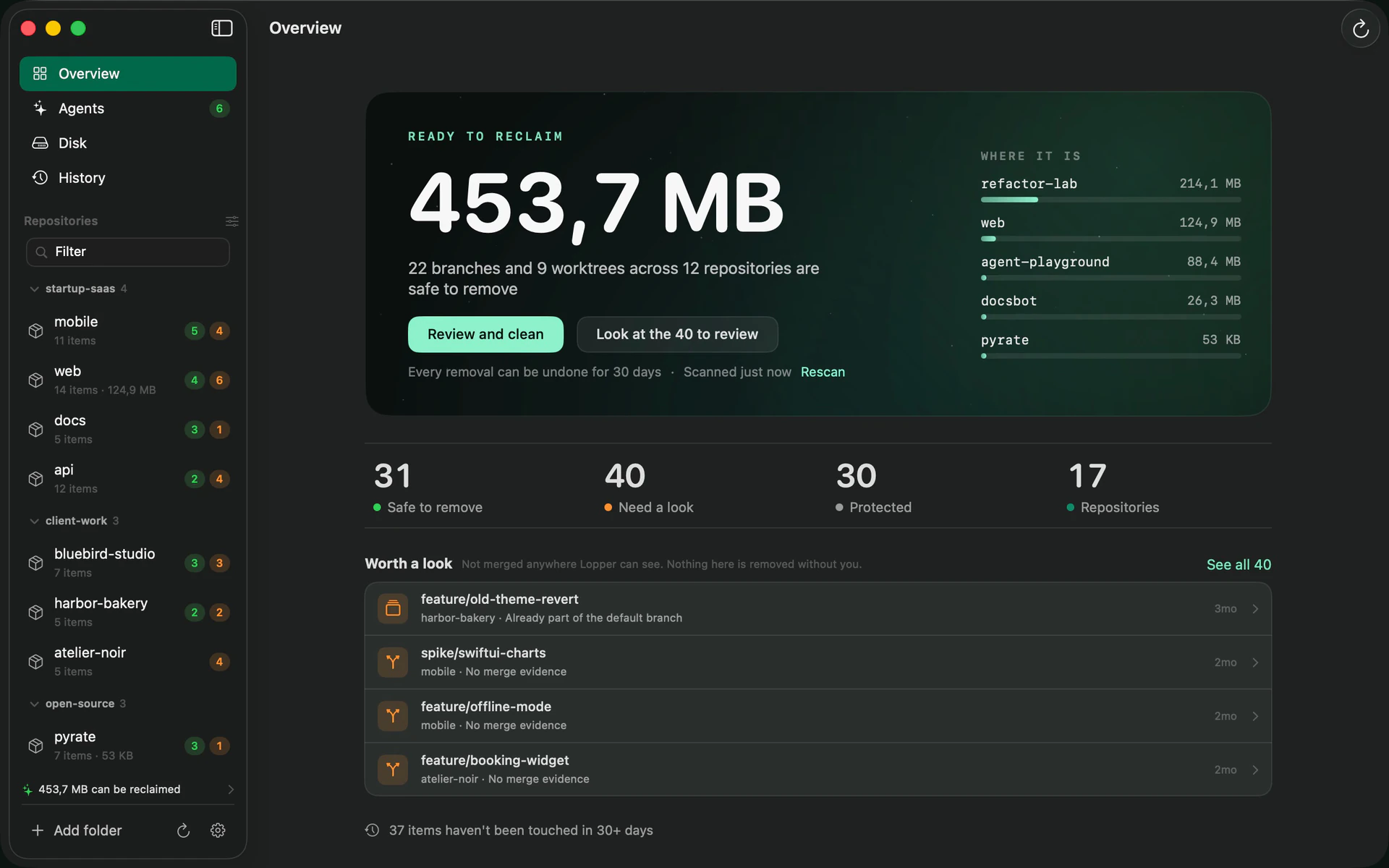
Point Lopper at the folders that hold your projects. The overview adds up what is ready to reclaim across every repository and lists what is worth a second look.
Example data from a demo setup.
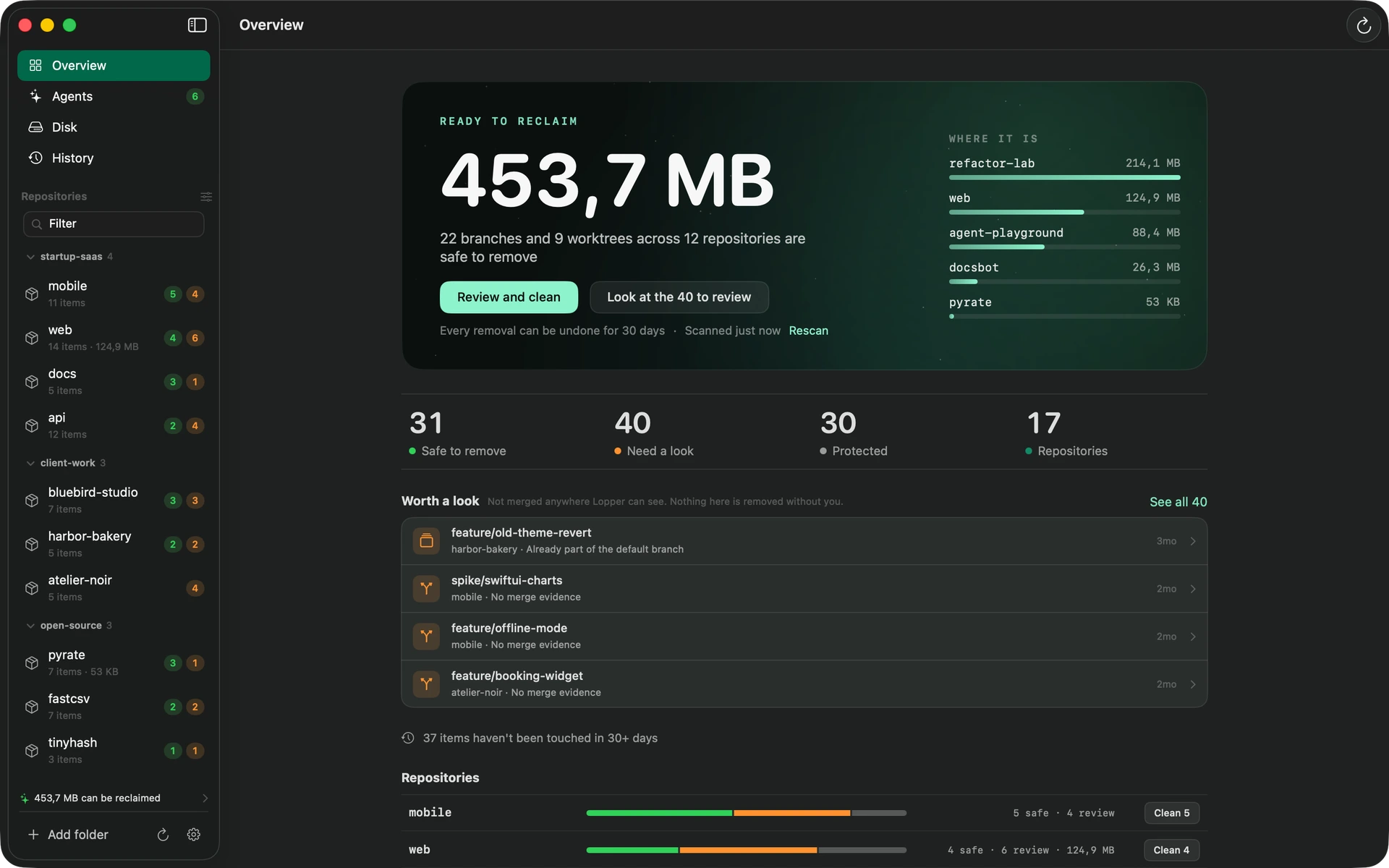
Lopper finds the branches, worktrees and generated folders you no longer need, shows the git evidence that each one is safe to remove, and lets you undo anything for 30 days.
Version 0.1.0, for macOS 14 or later. Open source, MIT licence.
everyfeatureleavesabranch.
everyagentrunleavesaworktree.
everyworktreegrowsitsownnode_modules.
mostofitisfinished.noneofitsaysso.
loppercutsonlywhatgitcanvouchfor,
andleaveseverythingelsealone.
Point Lopper at the folders that hold your projects. The overview adds up what is ready to reclaim across every repository and lists what is worth a second look.
Example data from a demo setup.
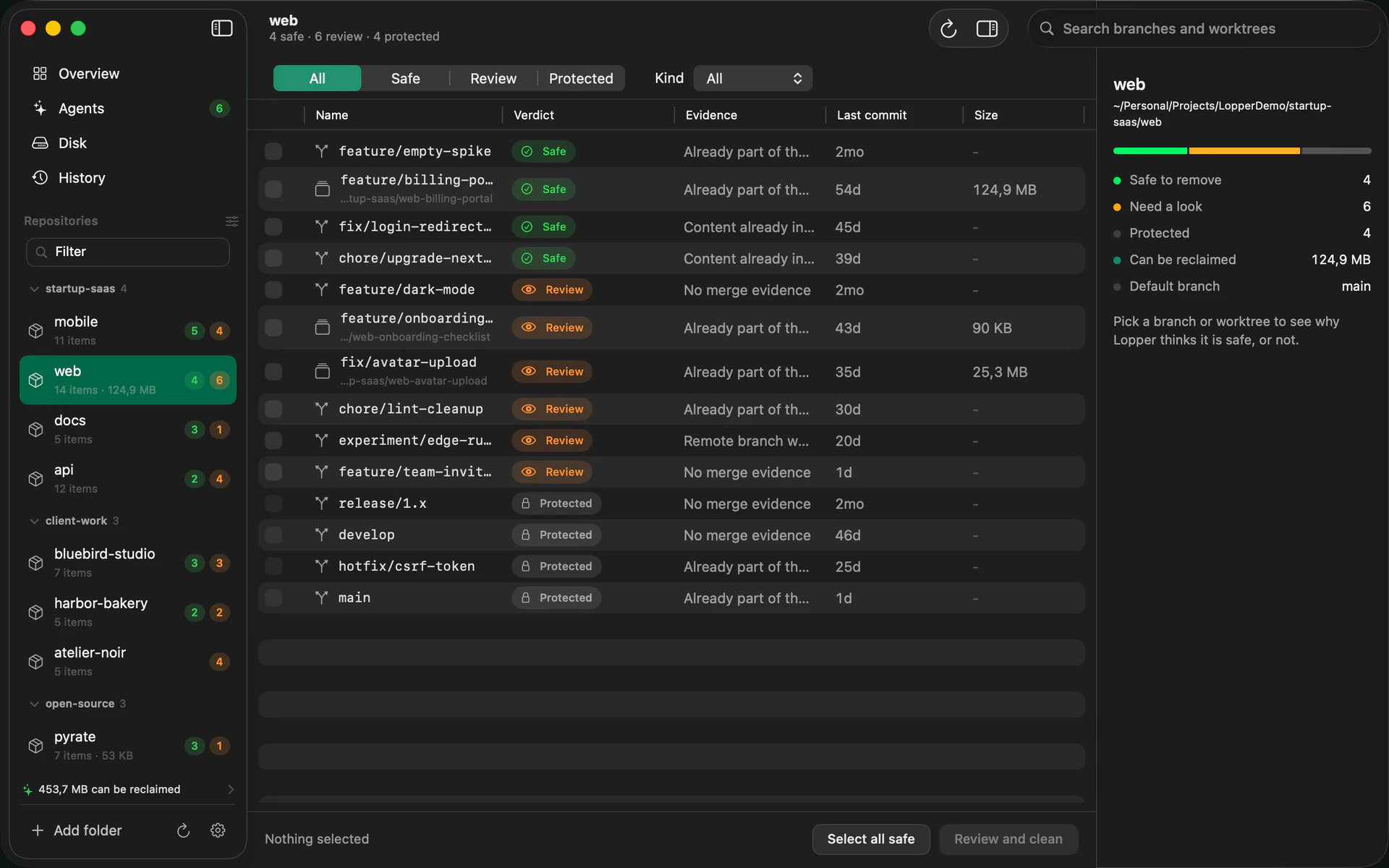
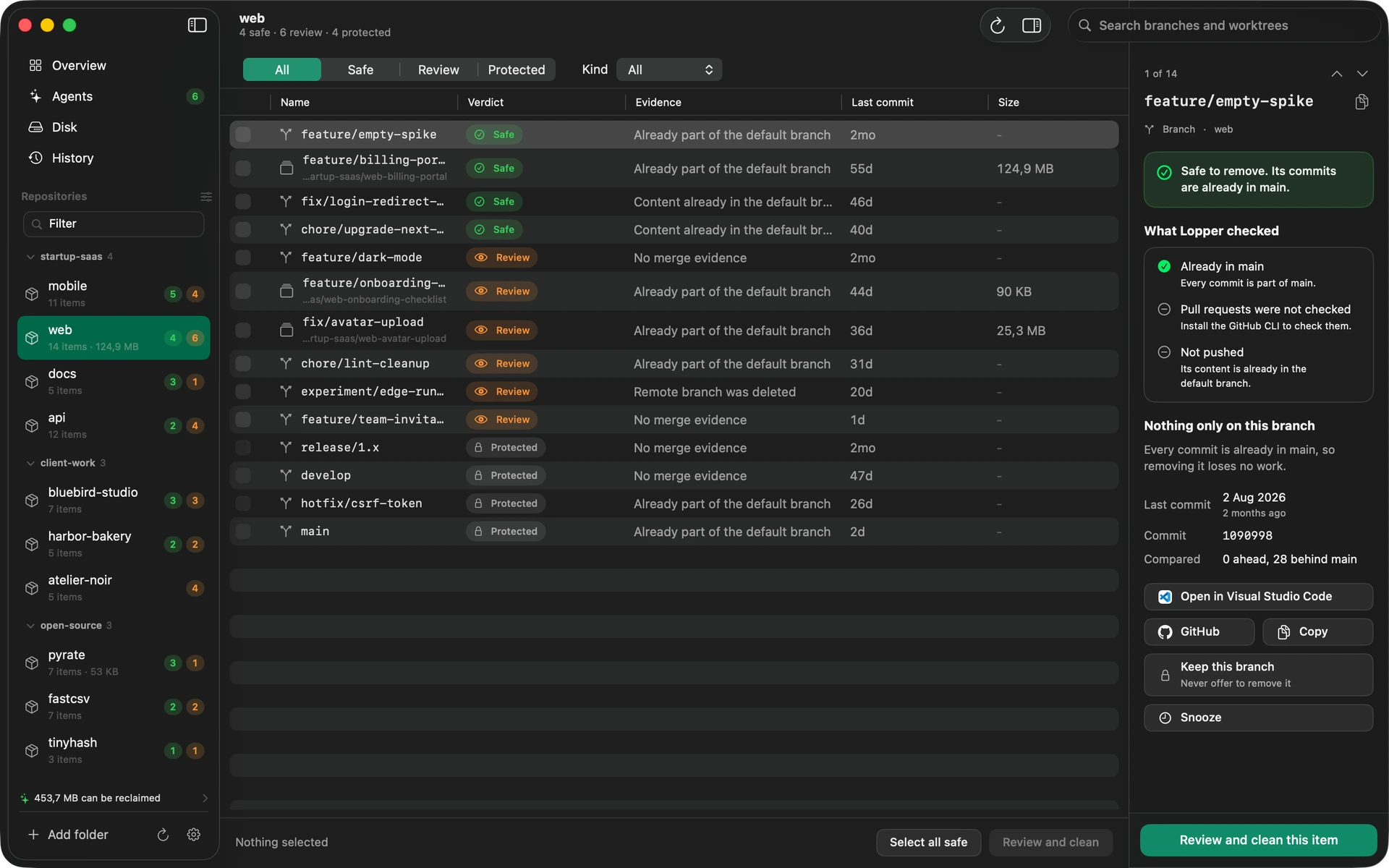
Safe, needs a look, or protected. For every branch and worktree, Lopper lists what it checked, so you never have to take a verdict on trust.
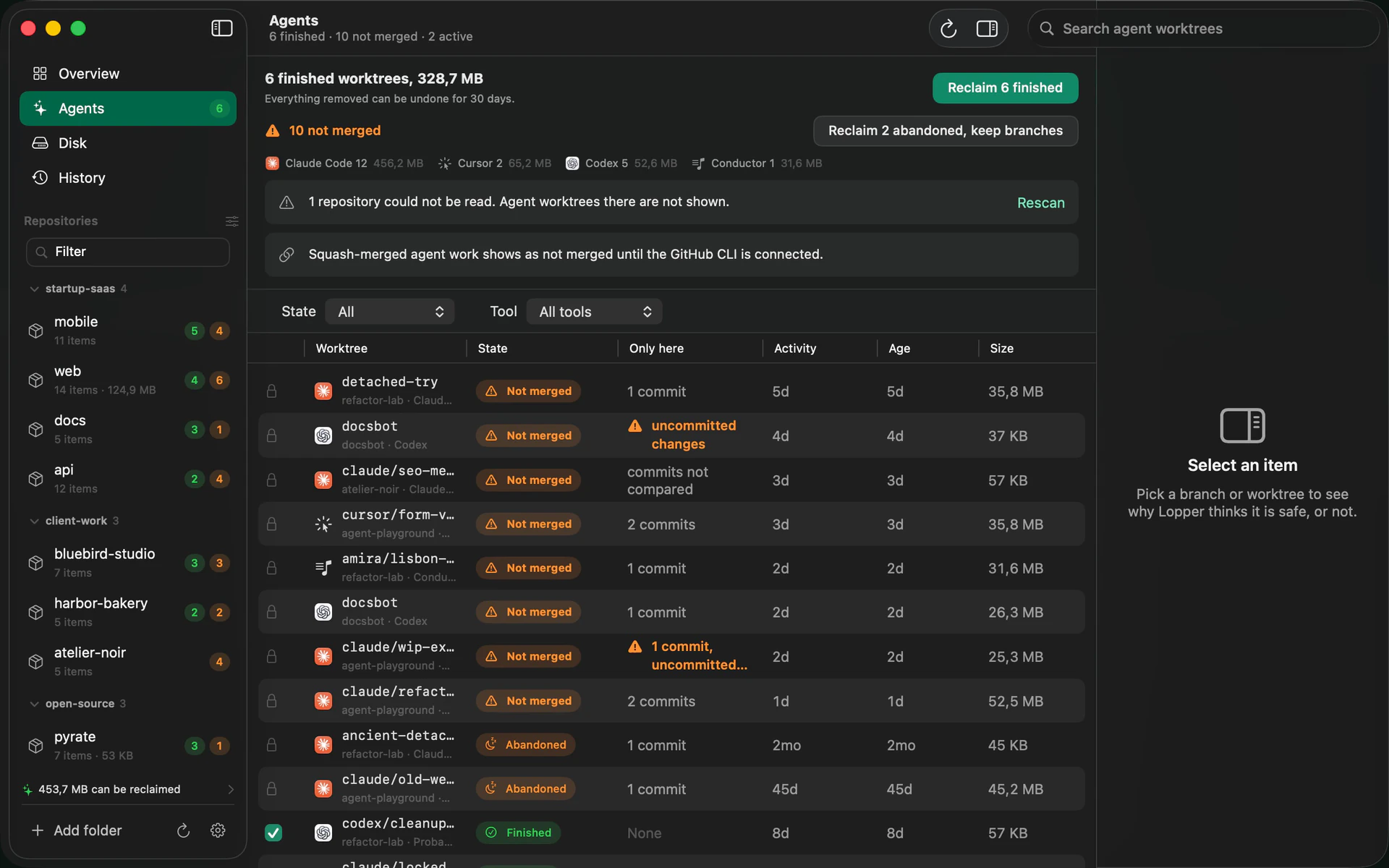
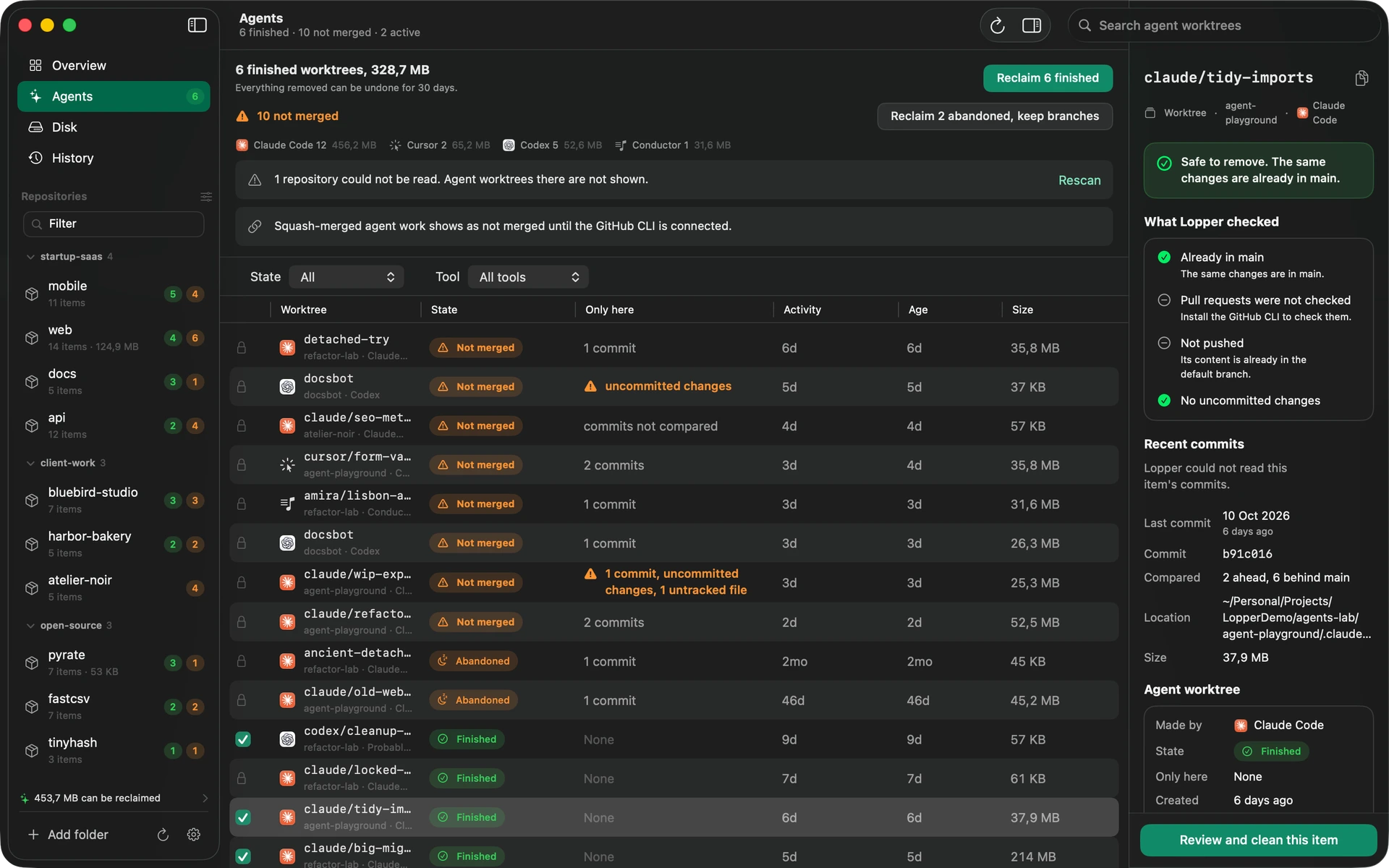
Each worktree shows its state, whether it holds unmerged or uncommitted work, and whether the run is finished or abandoned. Reclaim every finished one in one step.
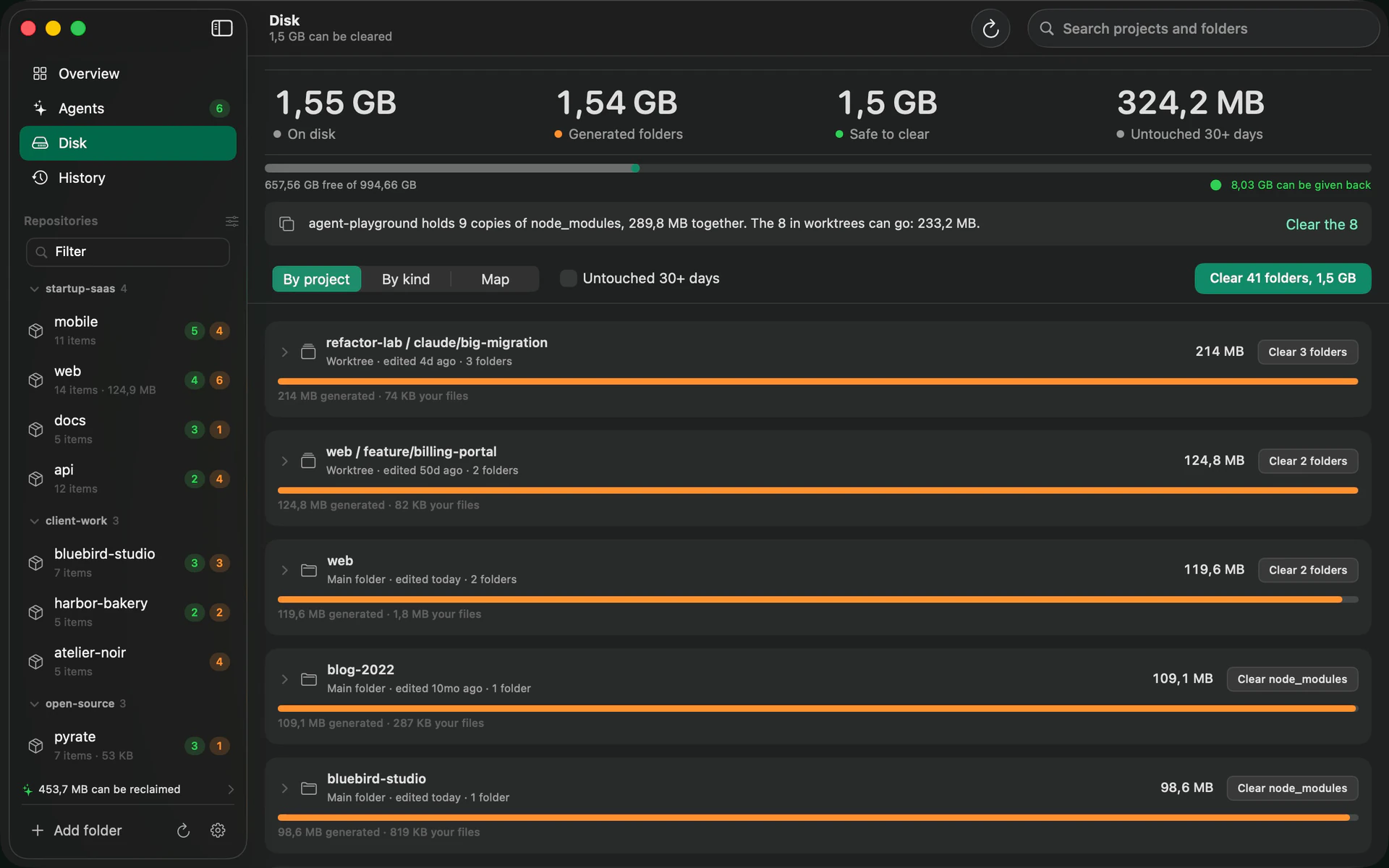
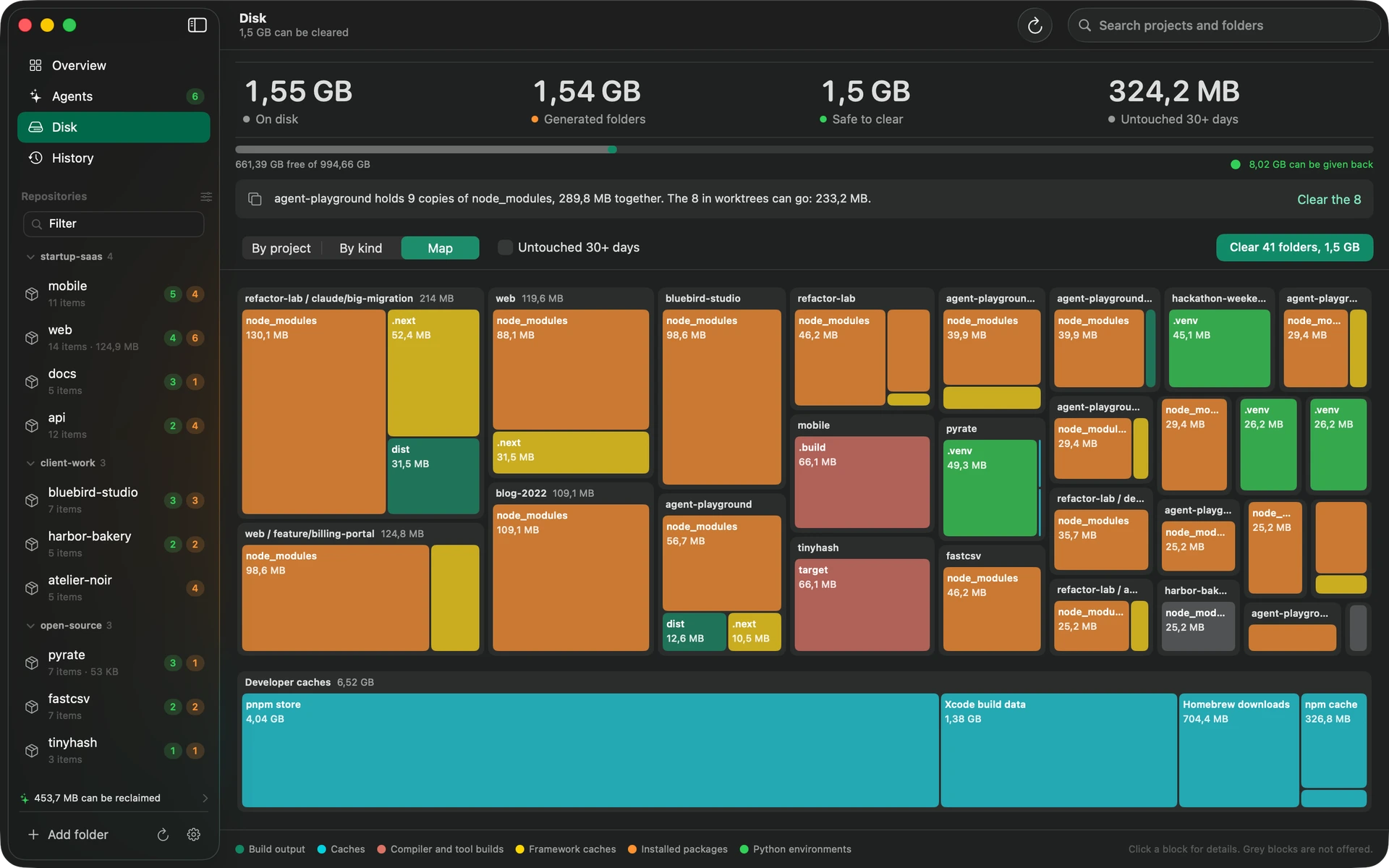
node_modules, build output and caches, by project, by kind, or as a treemap sized by bytes. Developer caches get their own row.
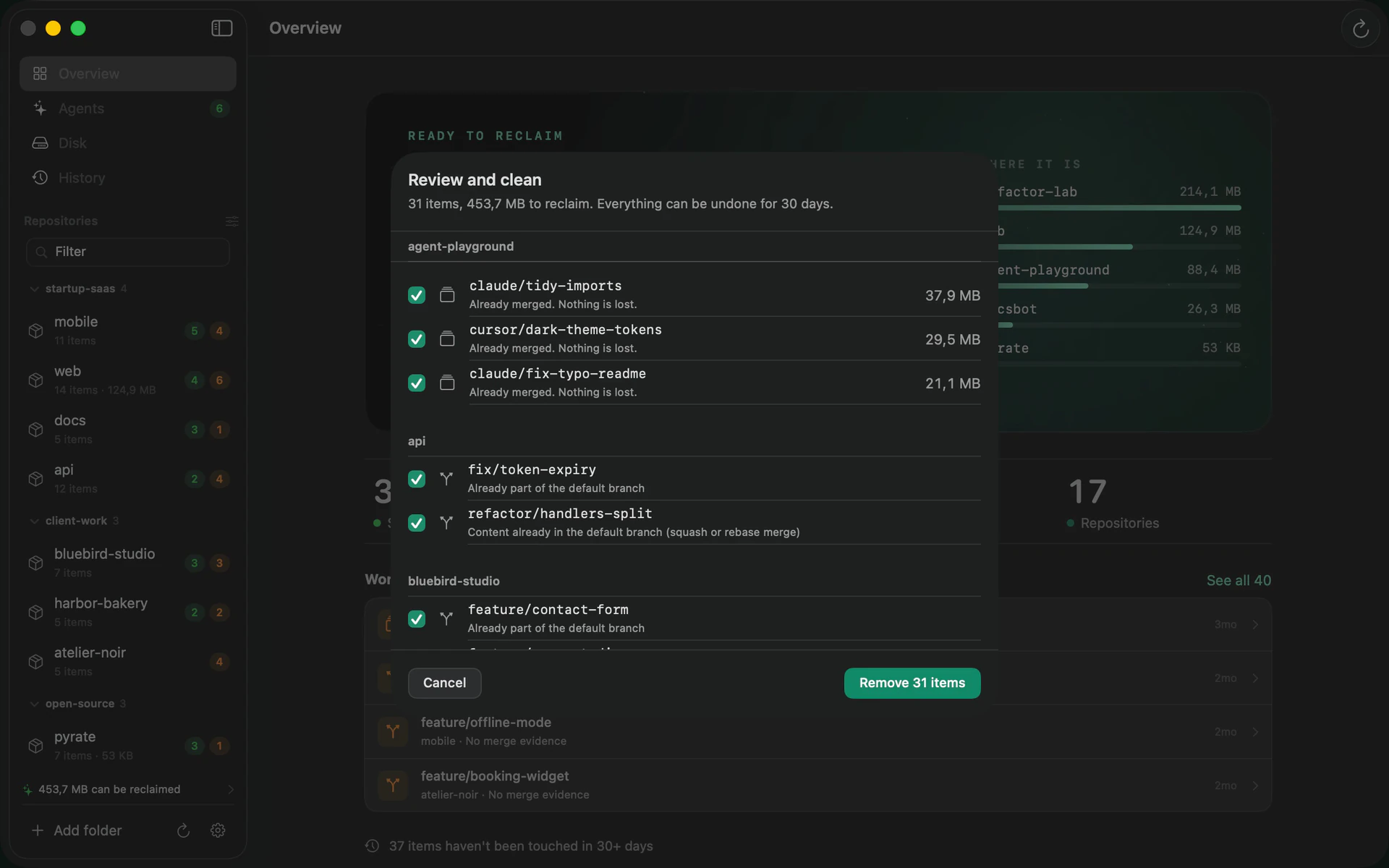
Lopper puts everything it will remove on one sheet. Read it, change it, then confirm. Removed items go to the Trash.
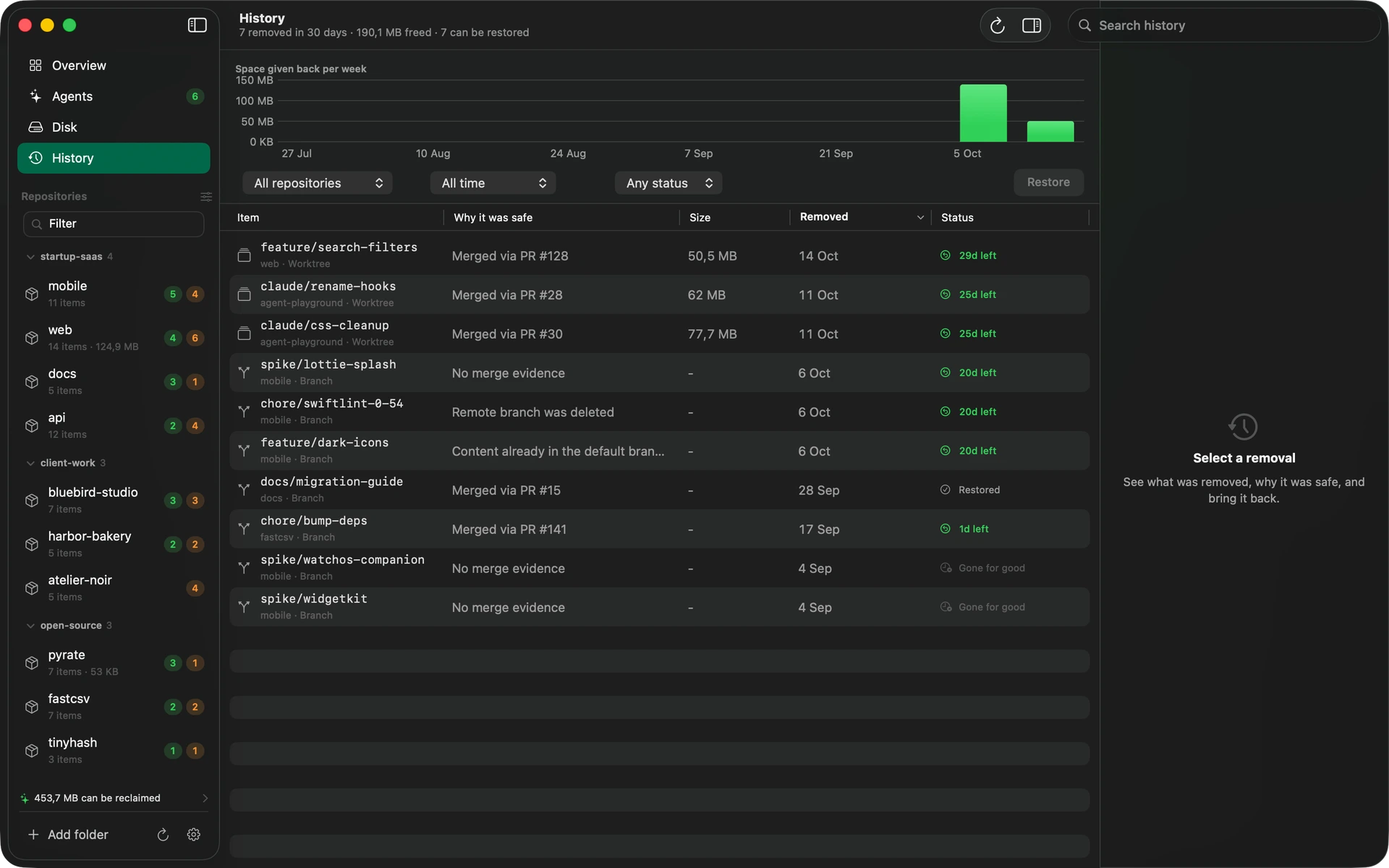
Every removal is logged in History with the reason it was safe. Restore one item or a whole cleanup, and branches come back at their exact commit.
That is the whole job. Every rule below is covered by tests that run against real git repositories, because mocking git would hide exactly the cases that lose work. If Lopper cannot prove something is merged, it says so and leaves the decision to you.
One download, then drag it to Applications. Version 0.1.0 needs macOS 14 or later and git.
brew install --cask zawalid/lopper/lopperLopper is not notarized yet, so macOS asks you to confirm it once. Right-click Lopper in Applications, choose Open, then Open again. Or run this once:
xattr -dr com.apple.quarantine /Applications/Lopper.appThe source is open. Install git with xcode-select --install if you do not have it. The GitHub CLI is optional and adds pull request based merge detection.
git clone https://github.com/Zawalid/Lopper.git
cd Lopper && scripts/build-app.shNo. A branch or worktree holding commits that exist nowhere else is never offered as safe. If Lopper cannot prove something is merged it shows "needs a look" and leaves the decision to you. Even then, removed branches come back from History at their exact commit.
No. There is no account, no analytics and no crash reporting, and this site has none either. Lopper runs git, and the GitHub CLI if you have it, on your Mac and reads only the folders you chose.
Worktrees from Claude Code, Cursor, Codex and Conductor are recognised by their layout and labelled with the tool. Worktrees from anything else are handled as ordinary git worktrees.
No. Rules and the weekly digest only offer a cleanup. Nothing is removed until you have reviewed the list and confirmed it, and everything goes to the Trash first.
The app is not yet signed with an Apple Developer ID, so Gatekeeper asks you to confirm it once. The steps are in the install section above. The source is open, so you can read it or build it yourself.